


Description
The future of classroom instruction is here with the WM85B Flip Pro 85″ 4K Interactive Touchscreen LED Display from Samsung. The messy blackboard is replaced with this touchscreen display, which provides 4K visuals for more engaging lessons and interactive features that increases student engagement. With up to 20-person multi-touch, students can still walk up to write on the “board,” or they can share their mobile screen from their seat with software like Apple’s AirPlay 2. The screen can accommodate the display of up to 4 screens at once. Additional features, such as video calling and pushed content, allows the Flip Pro to move beyond the classroom and interact with the school itself and those outside its walls.
Real-World Writing & Drawing
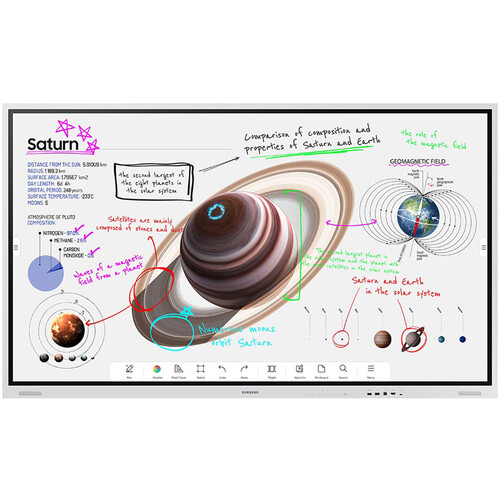
More than a simple display, the Flip Pro lets teachers and students write and draw on it as you would a traditional blackboard. However, with the Flip Pro, you can also annotate 4K visuals for stunning and immersive educational content. Why settle for chalk circles when you can interact with professional renditions of the solar system. The screen provides 2048 points of pressure with a low 26 ms of latency for a natural experience, and you can choose between pen or brush modes. Modes you can adjust with the quick tool and palette.
Quick Tool & Palette
The integrated quick tool and palette gives you the option of choosing different tip sizes, thicknesses, and colors. You can even add additional note layers and easily erase content with the swipe of a finger or hand.
Workspace Secured by Knox
Integrated Samsung Knox security software makes it possible to safely access remote PCs, network drives, and other third-party applications directly from the Flip Pro. Applications like Office 365, VMWare, or Boxlight MimioConnect. MimioConnect is included with the Flip Pro and provides a catalog of versatile learning content, including real-time data and analytics.
MagicINFO Remote Management
Content, alerts, and warnings can conveniently be pushed to each Flip Pro in a school or on campus to notify teachers and students of important information.
Front Control Panel
A front control panel makes it easy to manage the Flip Pro’s settings and plug in optional devices, such as a laptop. You get two USB Type-A inputs (one USB 3.0), and once each of the following: USB Type-B, USB Type-C, and HDMI. The USB Type-C port is a 3-in-1 port that allows for a simplified single cable connection to a laptop for screen mirroring, touch control, and up to 65W of charging.
Safe to Use
Samsung equipped the Flip Pro with an antimicrobial coating and shatterproof film for improved safety. The coating inhibits microbial growth, while the film keeps the screen intact if it were to accidentally break.
Additional Features
- Up to 50 simultaneous device connections via SmartView+
- Video call compatible with WebRTC (Real Time Communication API)
- Google Duo built-in
- OPT (Open Pluggable Specification) slot for third-party apps, tools & SIS (School Information Systems) integration
- Ethernet network connection


Reviews
There are no reviews yet.